
Below is a cleaned up, publish-ready article for the ToxicHustle site (in your voice). I kept it operator-minded, practical, and built around your real story so it hits like “oh crap, that could be me.”
WordPress Plugin Updates Can Quietly Wreck Your SEO (Ask Me How I Know)
Yesterday I noticed something weird.
When I searched our site, results looked empty. Not “a little off” empty. More like “did we lose content?” empty.
That’s a problem when you’re actively building AEO and stacking articles to get found.
After digging, yeah… we actually lost search results.
Not because we stopped publishing. Not because Google “hates us.”
Because a plugin update was overdue.
What happened (and why it matters)
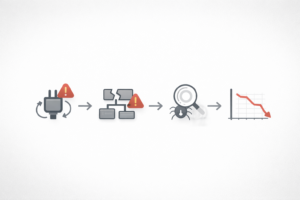
We run Rank Math for SEO. It needed an update, and that update wasn’t optional anymore.
The outdated version was throwing an error that broke our XML sitemap. When your sitemap breaks, search engines lose a clean map of what to crawl and index.
So your content can still exist, but visibility starts slipping. Quietly. Like a slow leak.
And in our case, it showed up as missing search results.
The fix (what we had to do)
We didn’t just click “Update” and call it a day.
Here’s what we actually had to do to recover:
- Update the plugin (Rank Math)
- Confirm the sitemap was generating again
- Clear site cache so the updated sitemap and SEO output actually served properly
- Resubmit all sitemaps in Google Search Console
- Double-check coverage and crawl status
Now it’s a waiting game while Google re-crawls and restores confidence in the sitemap.
That’s the part nobody wants to hear, but it’s real.
Why plugin neglect destroys SEO work
People think plugin maintenance is mostly about security.
Security matters, but SEO damage is sneakier because it looks like “marketing isn’t working” when it’s actually “your site isn’t communicating.”
Outdated plugins can cause:
- Broken sitemaps (search engines don’t discover or refresh your pages)
- Schema issues (rich results disappear, AEO signals weaken)
- Indexing drops (pages fall out of the index over time)
- Slow site performance (Core Web Vitals get worse, rankings can slip)
- Conflicts after other updates (WordPress updates, PHP updates, theme updates)
- Silent errors (everything “looks fine” until traffic dips)
SEO is compound interest.
Plugins can be the random tax that wipes out your gains.
The bigger point: “Being seen” is a system, not a tactic
SEO is important, but it’s not the only thing.
The real question is:
Are you describing a pain the customer actually has, and are you solving it?
If your site is broken in the background, it doesn’t matter how good your messaging is. Nobody sees it.
That’s why maintenance is not “tech chores.”
It’s literally visibility insurance.
Quick checklist: Plugin maintenance that prevents this mess
If you run WordPress and you want to stop playing defense, use this.
Weekly (10 minutes)
- Update plugins (after a quick backup)
- Check the site front-end quickly (home page, a blog post, contact form)
- Verify sitemap loads (example:
/sitemap_index.xmlor your sitemap URL)
Monthly (30 to 60 minutes)
- Remove plugins you are not using
- Replace abandoned plugins with maintained alternatives
- Check performance (cache, image optimization, database cleanup)
- Review Search Console for sitemap errors, coverage issues, or spikes in “Excluded”
Quarterly (real maintenance)
- Update PHP version if needed
- Review theme compatibility
- Audit plugin overlap (multiple plugins doing the same job = conflict risk)
- Tighten security settings and user roles
What to do right now if your sitemap breaks
If you suspect pages are disappearing or indexing is dropping, do this in order:
- Open your sitemap URL in a browser
- If it errors, you have a problem, even if the site “looks fine.”
- Update your SEO plugin
- Then re-check the sitemap immediately.
- Clear cache
- Site cache, CDN cache (if you use one), and plugin cache.
- Resubmit sitemap in Google Search Console
- Remove the broken one, submit the corrected one, then monitor.
- Watch Search Console over the next few days
- You’re looking for “Success” status and crawl activity returning.
If you want the faster route: get someone who does this every week to handle it.
Sometimes the real answer is a rebuild
Here’s the part people ignore.
If your WordPress install is old, bloated, and held together by random plugins from 2018, maintenance becomes gambling.
At some point, the cheapest long-term move is:
- rebuild clean
- reduce plugin count
- install only what’s necessary
- lock in a real update process
That’s how you stop these “invisible SEO outages.”
If this is happening to you, we can fix it
If you’re currently dealing with:
- sitemap errors
- ranking drops
- pages not indexing
- plugin conflicts
- slow site performance
- security concerns
- or you just need your business to be seen consistently
Contact Us for “Custom Web Services”.
We’ll inspect what’s failing, stabilize the system, and get your site back to doing its job: getting you found and getting you paid.